Customizing PHP Settings
You can set number of PHP variables from your cpanel instead of using php_value in .htaccess or using custom php.ini file:
- allow_url_fopen
- max_execution_time
- max_input_time
- max_input_vars
- memory_limit
- open_basedir
- post_max_size
- short_open_tag
- upload_max_filesize
To modify PHP variables, you'll need to select a non-native PHP version from your cPanel. This is because the native PHP version (used by all websites on the server) can't be customized. Choose a non-native PHP version, and then you'll be able to adjust the settings to suit your needs:
- login to your cPanel
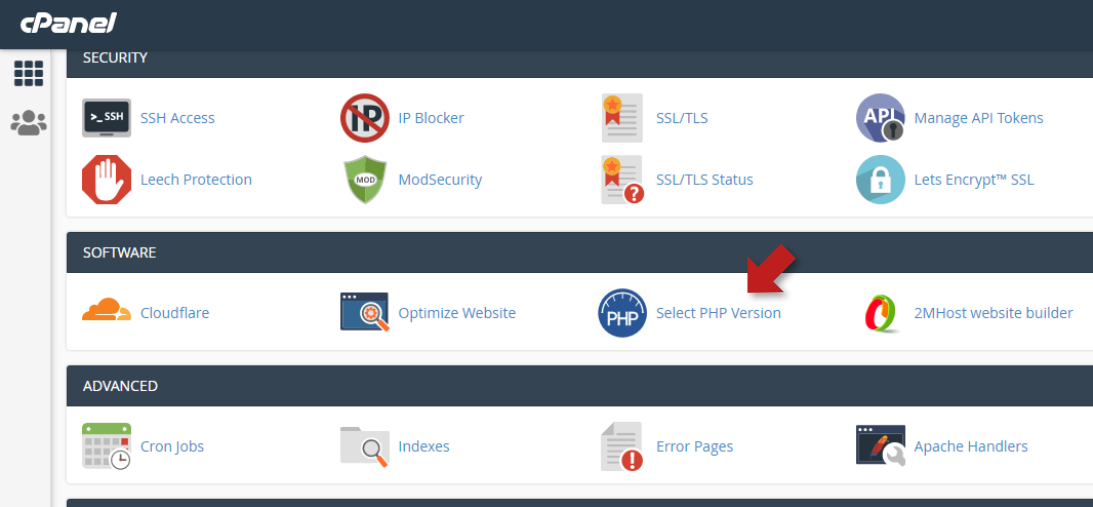
- Scroll down to Software tab, and click on 'Select PHP version'
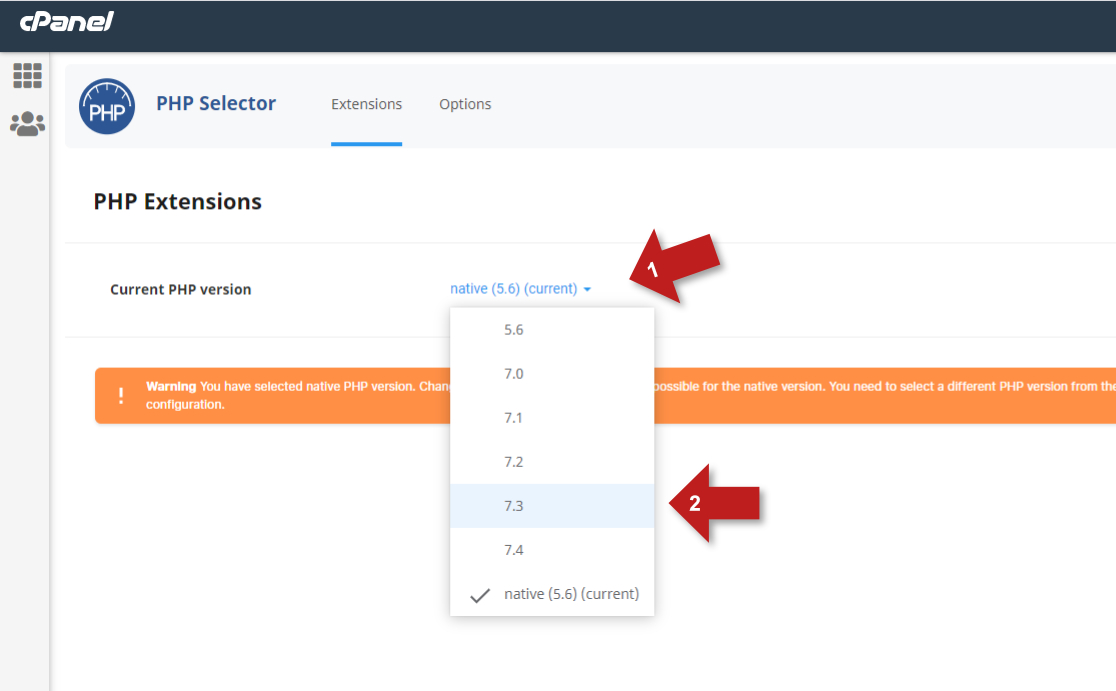
- Select the PHP version you want from the list (Always choose the most modern version when possible)
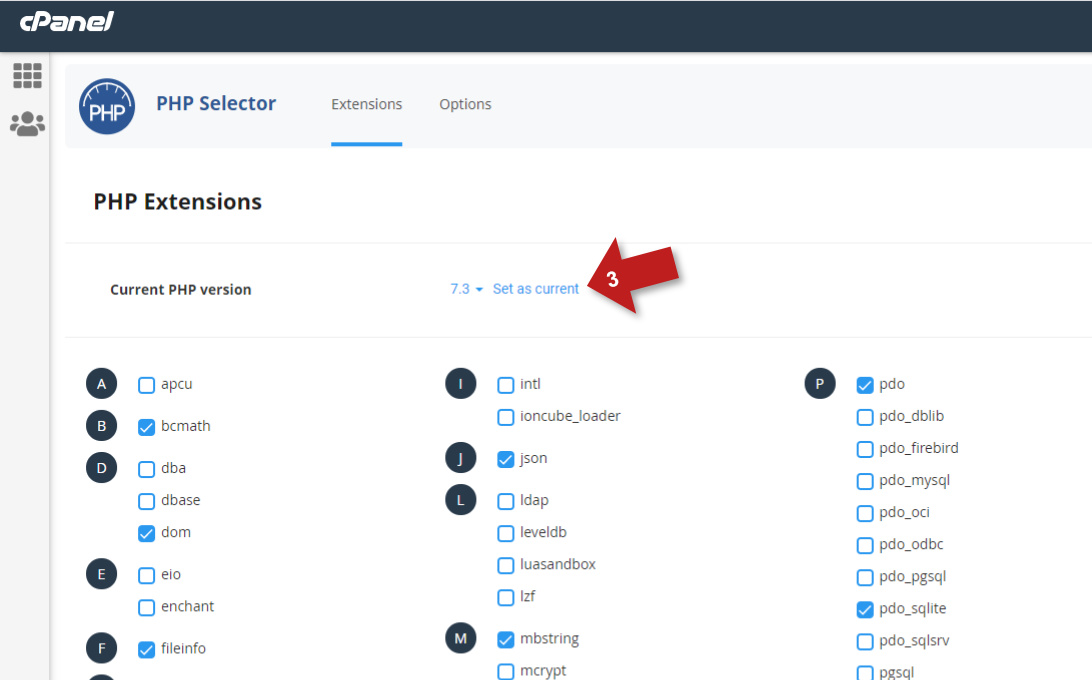
- And do not forget to set the select version as current
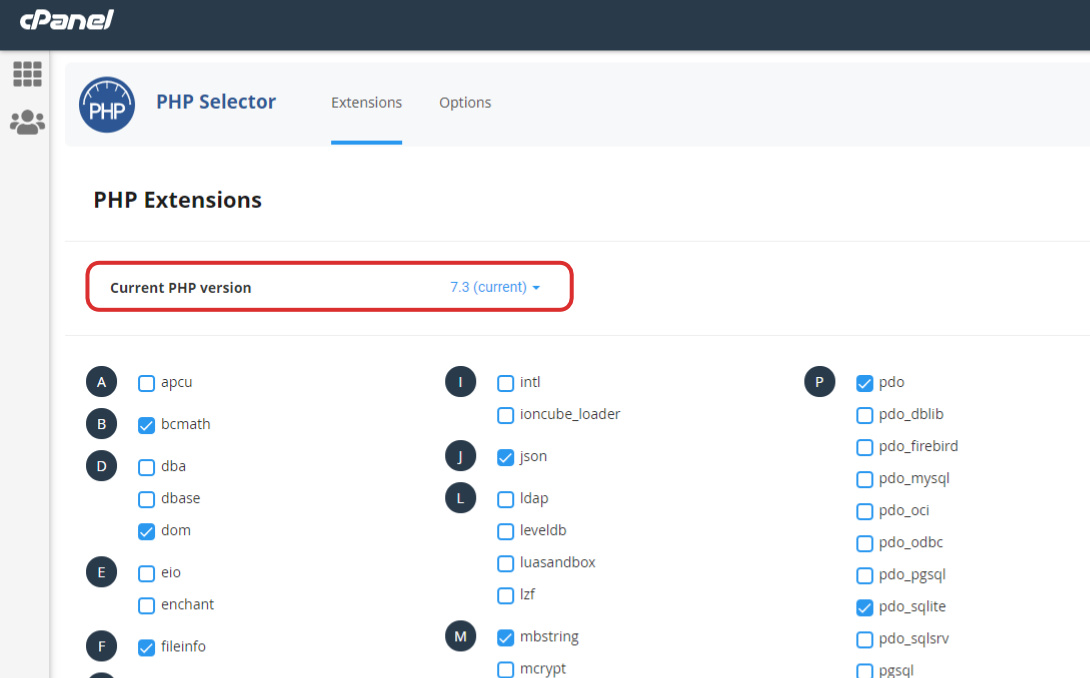
- Now a non-native PHP version is active
- Switch to 'Options' menu
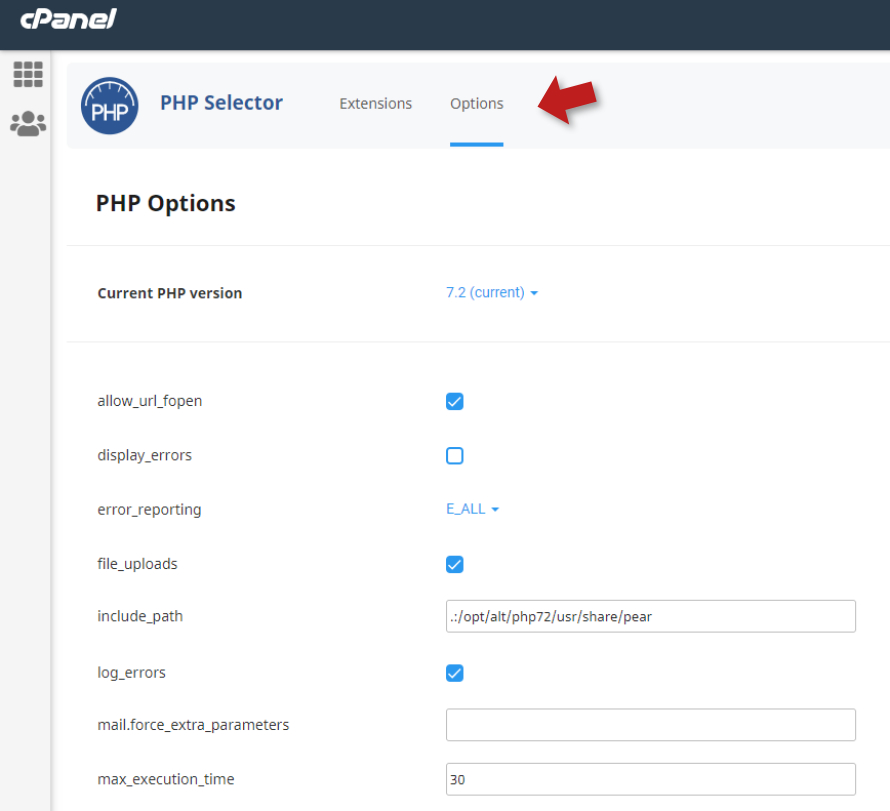
- Set the required PHP variables and you are done .
Remember that you have to adjust post_max_size to be equal to or bigger than upload_max_filesize, both variables are responsible of files uploading
Last update: Mar 03, 2025 13:18